Forest LMS
A learning platform for schools and training centres that you install on your own server. Courses, quizzes, grades and contact with parents – without moving student data to someone else's cloud.
A learning platform, not a class register
Forest LMS handles learning: courses, materials, tests, grades and attendance at classes. It is not an electronic class register, and that is deliberate.
What it is
A system for running courses, extra classes and remote or hybrid teaching. It can work alongside a school's class register and complement it, or on its own where no register is needed at all.
What it is not
It does not replace the class register. It does not store national ID numbers, dates of birth, addresses or medical excuses. That keeps the scope of personal data small and easy to describe in your GDPR documentation.
What it does, by role
Each role has a fixed set of permissions, and the interface and the API check the same rules. A hidden button is never the only protection.
Administrator
- Accounts, invitations and bulk creation from a list
- Student groups, school years, copying courses
- Security policy and mail configuration
- Audit log, data export and import
Instructor
- Courses with lessons and a media library
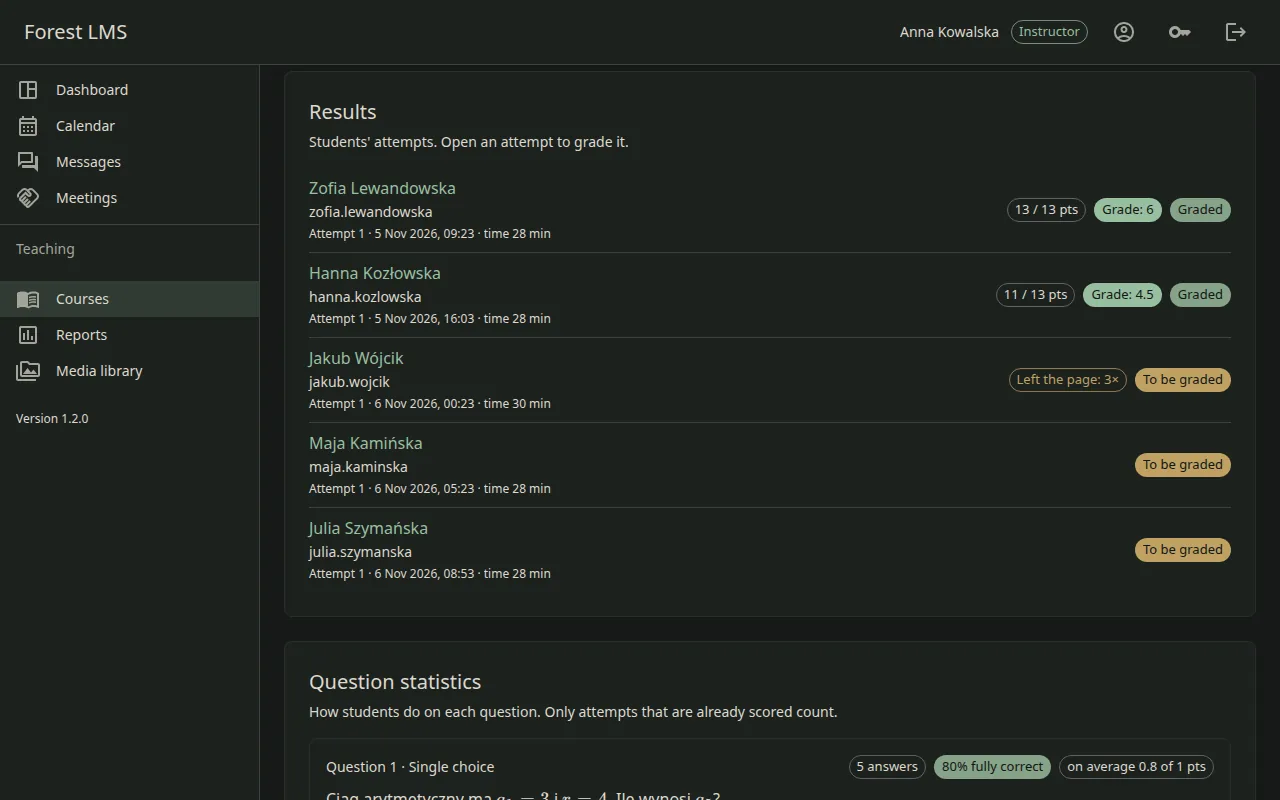
- Quizzes, timed exams and a question bank with import
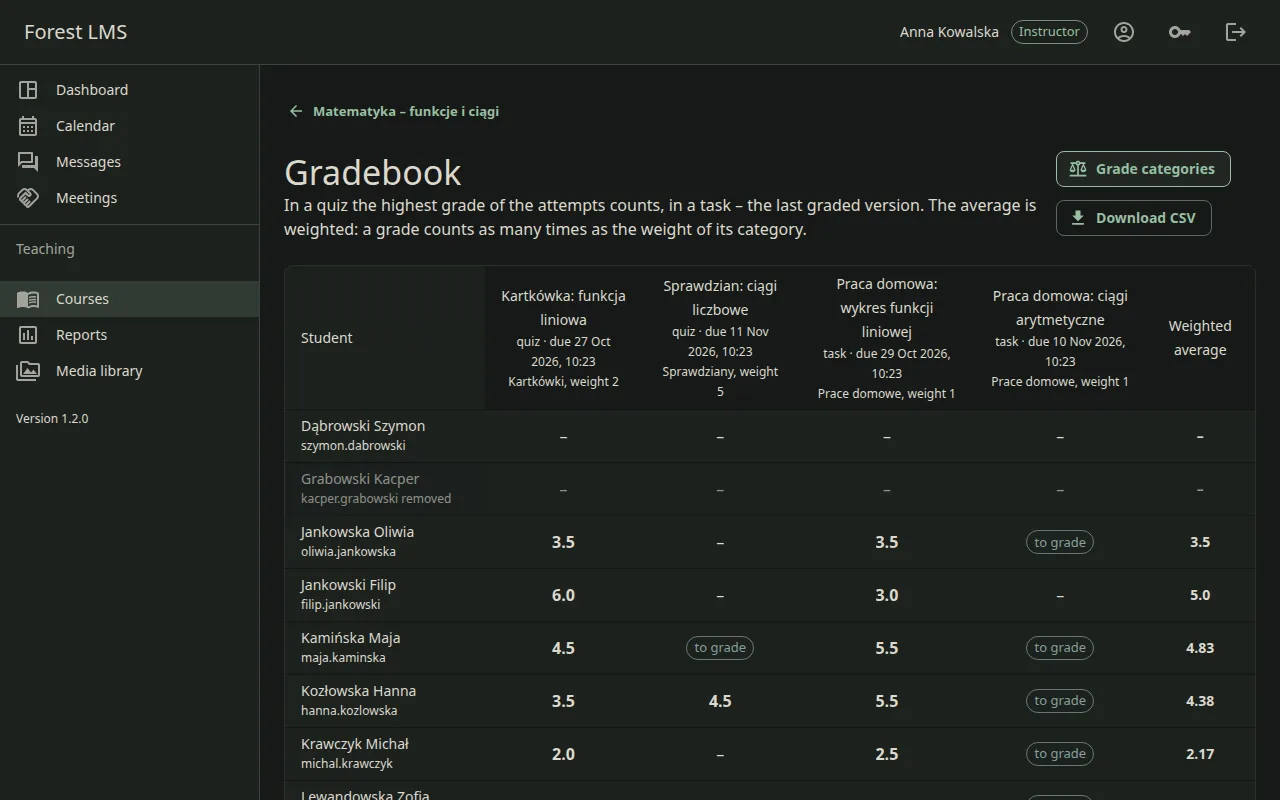
- Tasks with submissions, weighted grades and grade categories
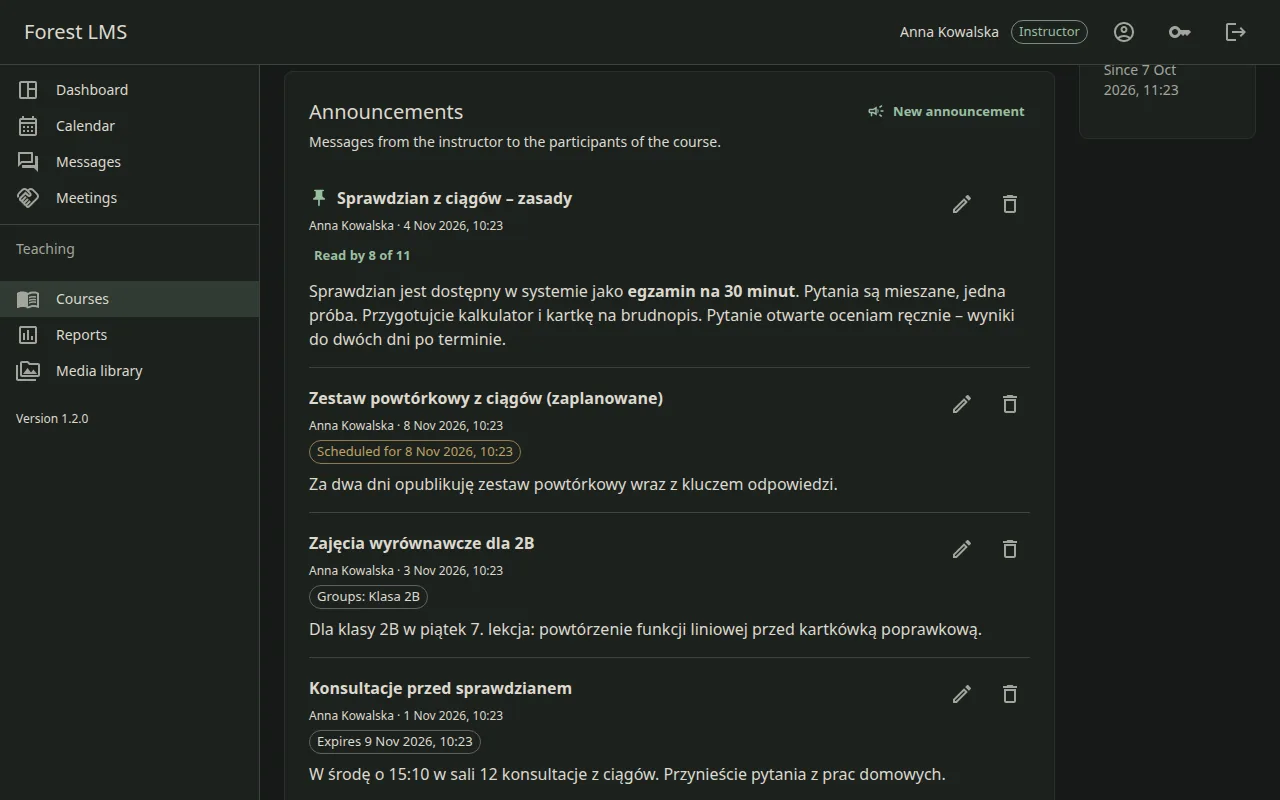
- Attendance, a class calendar and announcements
Student
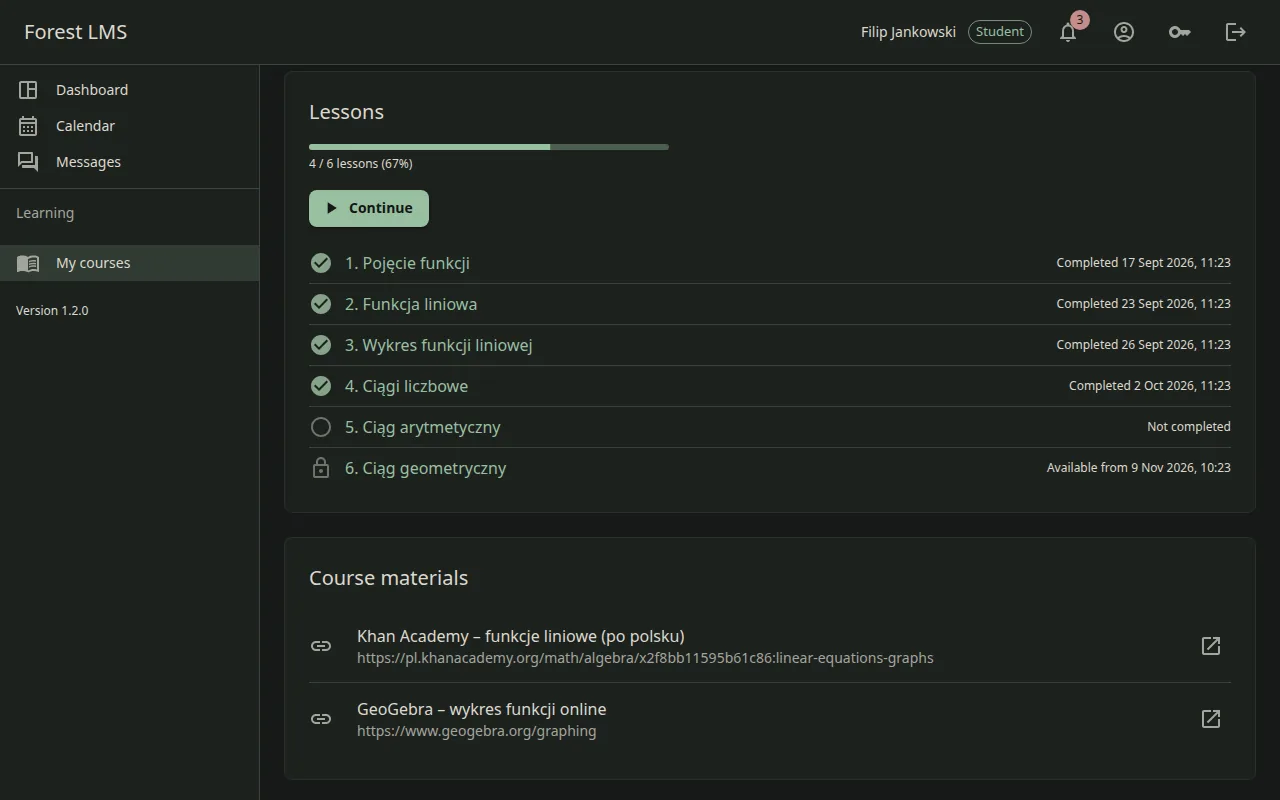
- Courses, progress and calendar in one place
- Quizzes, exams and tasks with visible deadlines
- An account is possible without an e-mail address
Guardian
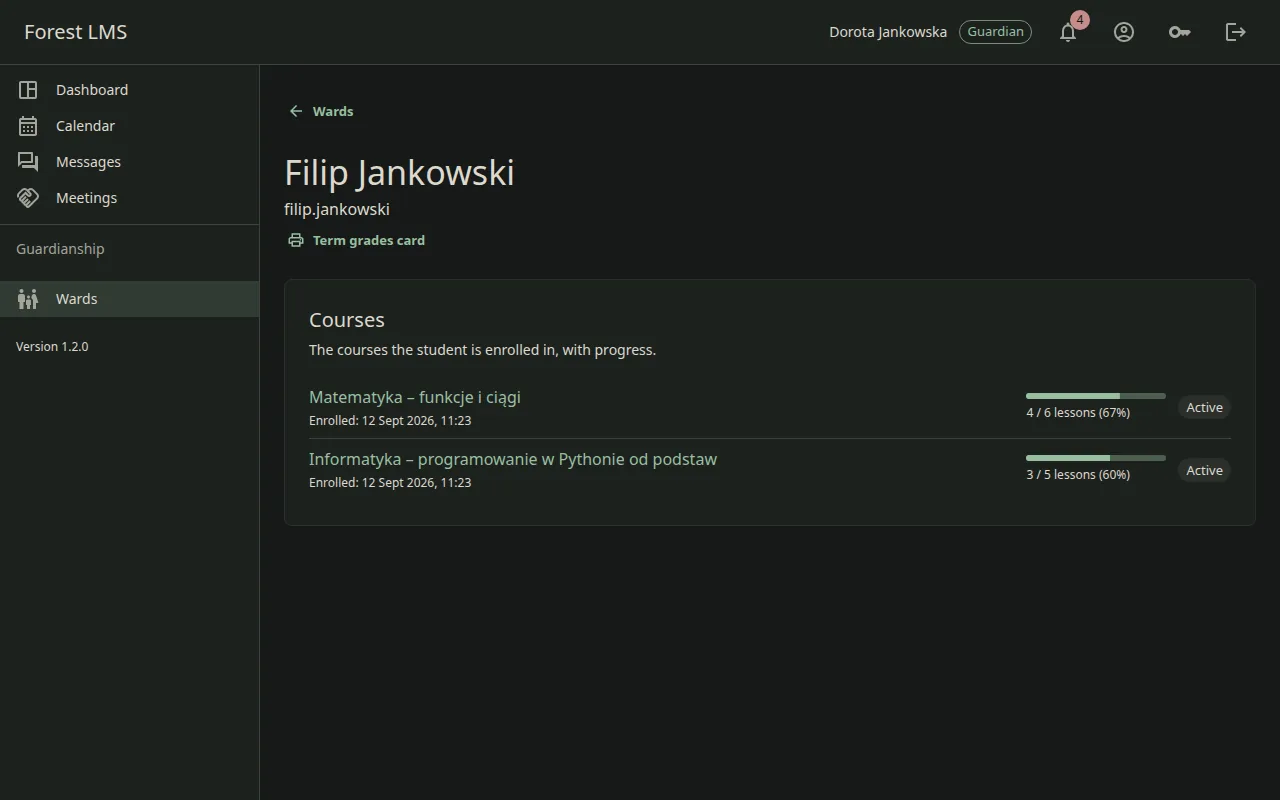
- Read-only view of the progress and grades of the students in their care
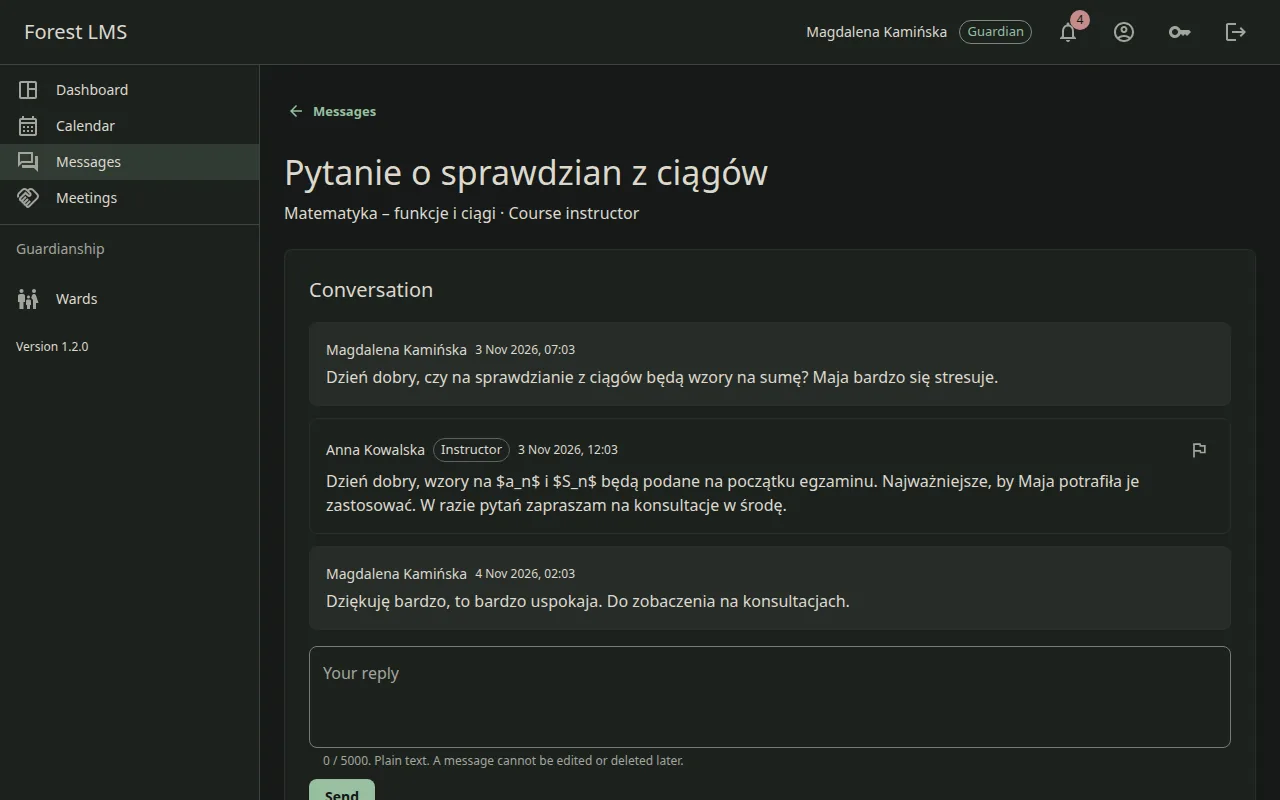
- Messages to the instructors of their children
- Notifications in the app, by e-mail and as web push
What it looks like
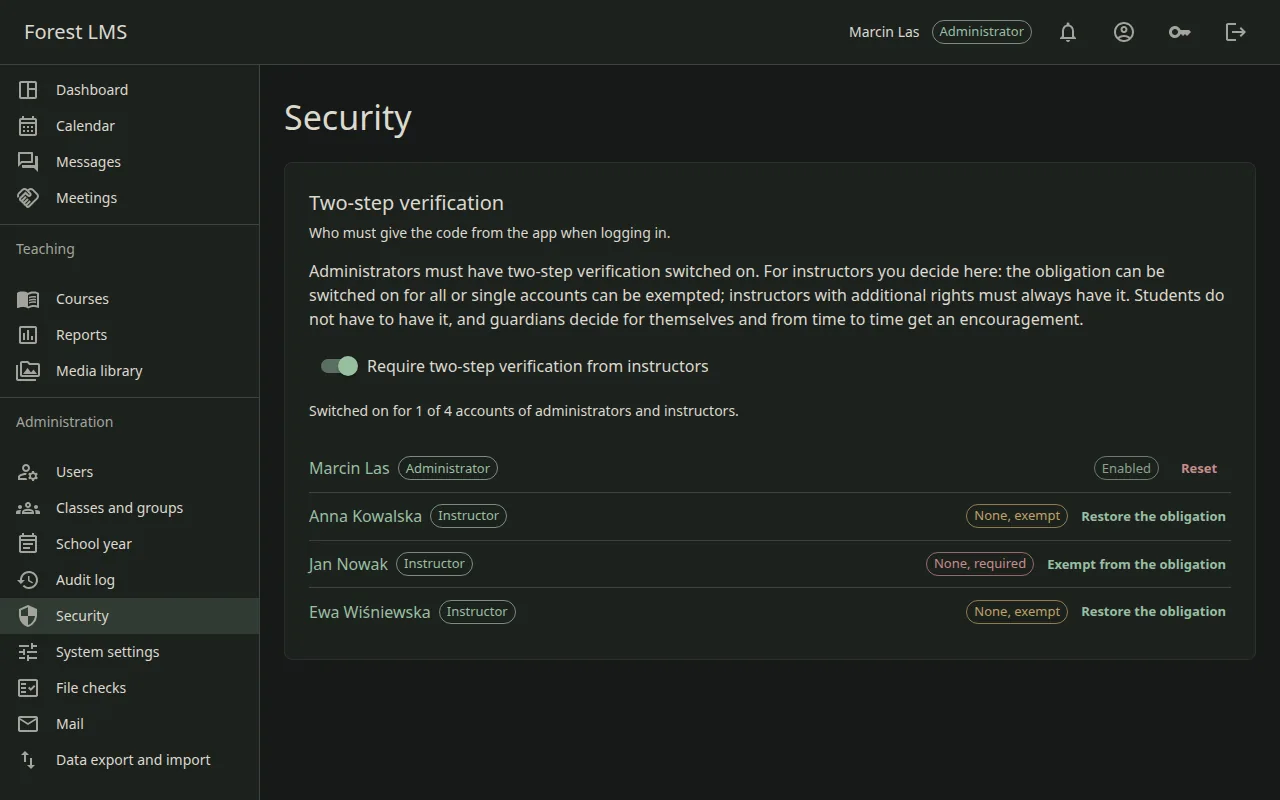
The screenshots come from a demo instance with fictional data; the sample course content is in Polish. Click an image to see it in full size.
Security and privacy
Students are often minors, so some limits are deliberate. Messages go only between families and instructors; there is no student-to-student chat.
Access
- A second factor (TOTP) is mandatory for the administrator and by default for instructors too
- Passkeys
- Passwords are checked against known breaches without sending the password itself
- Accounts are created by the school – there is no self-registration
Data
- Personal data is encrypted in the database
- An audit log of changes
- Retention and erasure on request, and a person always makes the decision
- Uploaded files are scanned by a local antivirus
Quality you can check
Instead of promises about reliability – concrete numbers and a description of how the system is verified.
How it is verified
- Mutation tests and integration tests in the pipeline
- Restoring from a backup is tested automatically on every build
- Automated accessibility tests (axe) on every build
- Full documentation: requirements after ISO 29148, a threat model, a decision log and administrator guides
These are the results of one measurement on 4 November 2026, on a machine with 4 processors and 4 GB of memory, for a school of 500 students and 40 courses. The times grow with the amount of data and are not a promise for every kind of hardware. I have not measured availability as a percentage, because it takes a long run in production. Automated accessibility tests are not a full review with screen readers – that is still ahead of me, so I do not claim WCAG conformance for this product.
Deployment
Forest LMS is software that you install and that stays with you. One installation serves one school or organisation.
On your side (default)
Installed on the server of the school or organisation, in containers, with a PostgreSQL database. The data stays on your side and I have no access to it. That considerably simplifies the question of a data processing agreement.
On my side (optional)
If you do not want to run a server, I can host the installation for an extra fee. Then the data is on my side and we sign a data processing agreement.
Demo on request
I do not keep a public demo running all the time. I start a separate instance with sample data when you want to see the system – write to me and I will prepare access.
Who it is for
It works best where you need a platform for learning, not yet another system for keeping a school's records.
When it is a good choice
- Schools that want to complement their class register with courses and extra classes
- Private schools and language schools
- Training centres and course organisers
- Organisations that must keep student data on their own servers
What it deliberately does not do
- It is not a class register and does not import data from school registers
- No sign-in through external providers (SSO) and no self-registration
- No payments, certificates or a public course catalogue
- No video conferencing – for live classes you can add a link to an external tool
- Exams without camera monitoring: question shuffling, time limits, individual exceptions and a note of how many times a student left the exam page
Frequently asked questions
Does Forest LMS replace the electronic class register?
No, and it is not meant to. A class register requires data that I do not store here. Forest LMS handles courses, extra classes and online learning alongside the register.
Do I need a data processing agreement?
With an installation on your side the data stays in your infrastructure and I have no access to it, so there is usually nothing to entrust to me. With hosting on my side a data processing agreement is needed and we sign one.
What server do I need?
I measured on 4 processors and 4 GB of memory, where the system served a school of 500 students. I have not measured on a smaller server yet, so I will not give numbers I have not checked.
Does a student need an e-mail address?
No. A student's account, often a minor's, can exist without an e-mail address. The school creates it.
Want to see the system?
Describe briefly who you are and what you need the platform for. I will reply and, if it makes sense, prepare a demo on a separate instance.
Request a demo